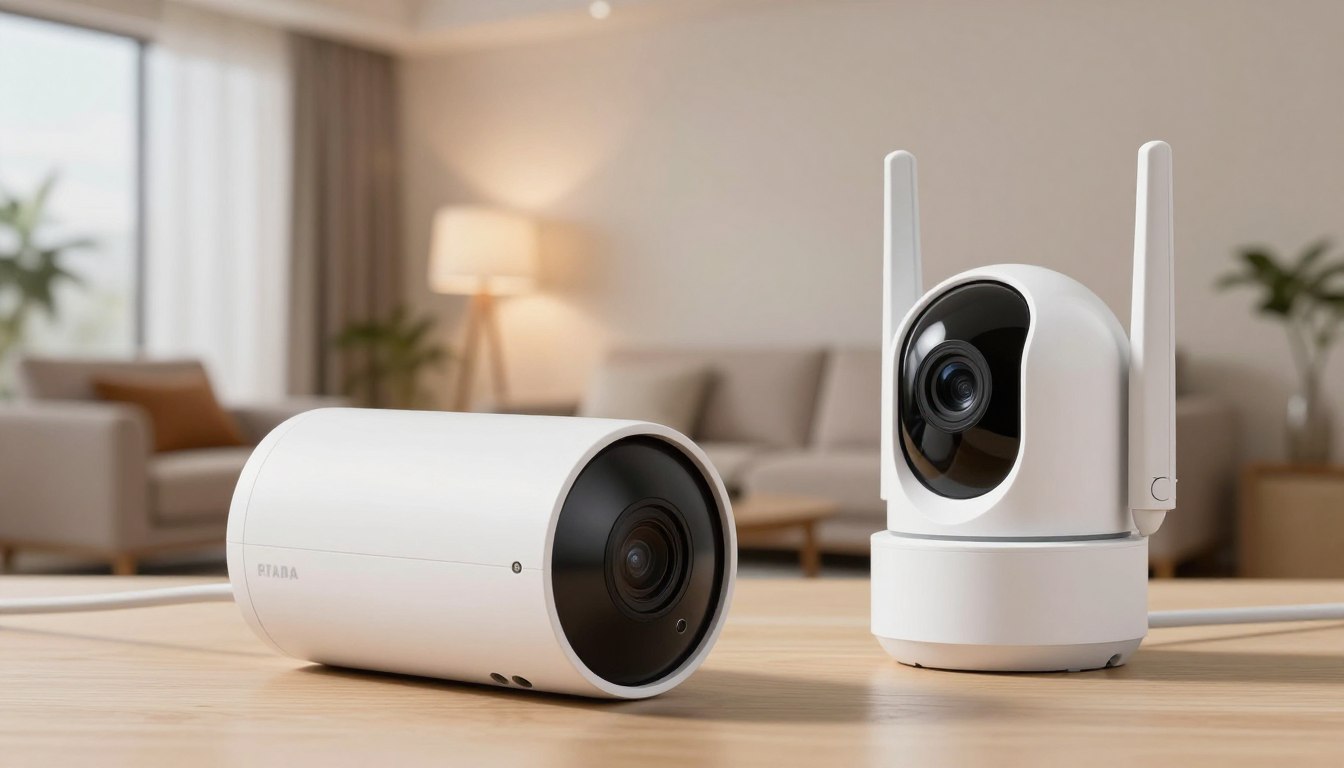
Did you know that nearly 60% of burglars avoid homes with visible monitoring systems? Protecting your property is a top priority. Yet, choosing the right equipment often feels overwhelming. Understanding the debate between wired vs wireless security cameras is key to peace of mind.
Every home has unique needs, and your lifestyle is important. Whether you need constant power or flexible installation, we simplify the technical jargon.
You deserve to feel safe in your own space. By exploring these options, you can start your journey toward a protected home environment. You’ll have total confidence and clarity.
Key Takeaways
- Visible monitoring systems significantly deter intruders from targeting your home.
- Evaluating your property layout helps determine the right hardware for you.
- Reliability is key when comparing permanent connections to battery-operated units.
- Installation complexity varies greatly based on the technology you choose.
- Making an informed decision ensures long-term protection and value for your household.
Understanding the Differences in Wired vs Wireless Security Cameras
Choosing between wired vs wireless security cameras can be tough without knowing the basics. Your choice of camera connectivity affects how well your system works when it matters most. Knowing the tech behind each option helps you pick the best for your home.

The Reliability of Hardwired Connections
Wired cameras are top-notch for those who want uninterrupted performance. They use cables to send data, avoiding Wi-Fi problems like dead zones and slow speeds. You don’t have to worry about your video feed being affected.
These systems also use Power over Ethernet (PoE). This means one cable can carry both power and data. It makes setup easy and keeps your cameras working even if your Wi-Fi fails. It’s a robust solution for those who want a reliable security system.
The Flexibility of Wireless and Battery-Powered Systems
Wireless cameras are super convenient, great for renters or those in older homes. You can put them anywhere without drilling or running cables. Their unmatched flexibility is perfect for watching entryways, backyards, or temporary spots.
True security is about finding the balance between the technology you trust and the convenience you need for your daily life.
Most wireless units use rechargeable batteries or solar panels. This makes setup even simpler. While you’ll need to charge them sometimes, moving them around is easy. This is a big plus for many users.
Hybrid Options for Modern Homes
If you’re unsure between wired and wireless, hybrid systems are a smart choice. They mix the stability of wired with the flexibility of wireless. You get a reliable backbone and the freedom to place cameras anywhere.
| Feature | Wired Systems | Wireless Systems |
|---|---|---|
| Installation | Complex/Professional | Simple/DIY |
| Reliability | High (Constant) | Moderate (Network dependent) |
| Maintenance | Low (Once installed) | Moderate (Battery charging) |
| Best For | Permanent Homes | Renters/Flexibility |
The right choice depends on your home and your comfort with tech. Whether you prefer the consistent reliability of wired or the agile nature of wireless, knowing the pros and cons keeps your home safe.
Key Factors to Consider When Choosing Your Surveillance System
When deciding between wired vs wireless security cameras, think about how they fit into your life. Knowing the pros and cons helps avoid mistakes. Focus on what your property needs to ensure your peace of mind.
Installation Complexity and DIY Ability
Wireless security cameras are easy to mount without tools. They use magnets or adhesive, great for renters or those who don’t want to drill.
On the other hand, installation for wired systems might need a pro. Running cables through walls or attics is harder and more time-consuming.
Data Privacy and Local Storage Needs
Keeping your footage safe is key for many homeowners. Cloud storage is convenient, but some prefer local storage for privacy.
“Security is not just about the hardware you install, but how you manage the data that hardware collects every single day.”
Local storage, like in NVR or DVR systems, keeps your videos private. It’s good if your internet goes out. You control who sees your recordings.
Power Source Reliability and Maintenance
Wired security cameras always get power from your home’s grid. This means no battery worries.
Battery-powered cameras are flexible but need charging. You’ll need to decide if you’re okay with regular battery swaps or charges.
Signal Strength and Network Bandwidth Needs
Your surveillance system needs strong camera connectivity for clear video. Wireless cameras need a strong Wi-Fi signal everywhere.
High-res cameras use a lot of bandwidth. This might slow down other devices. Test your network speed before buying to avoid issues.
| Feature | Wired Systems | Wireless Systems |
|---|---|---|
| Installation | Complex/Professional | Easy/DIY |
| Power Source | Constant/Hardwired | Battery/Rechargeable |
| Data Storage | Local/NVR | Cloud/Local |
| Connectivity | Ethernet Cable | Wi-Fi/Radio Frequency |
Conclusion
Choosing the right surveillance gear means looking at what you need for your home. This guide compared wired and wireless systems. It showed how each type fits different lifestyles.
You now know how to pick based on your tech skills and budget. Installing the right gear smoothly depends on matching it with your home’s layout.
Brands like Arlo, Ring, and Lorex have features for every need. Your choice should balance high performance with easy upkeep.
Before buying, think about your network and storage needs. The right equipment gives you peace of mind at home.
Let us know which system you think is best for your home. Your opinion helps others choose the right security for theirs.